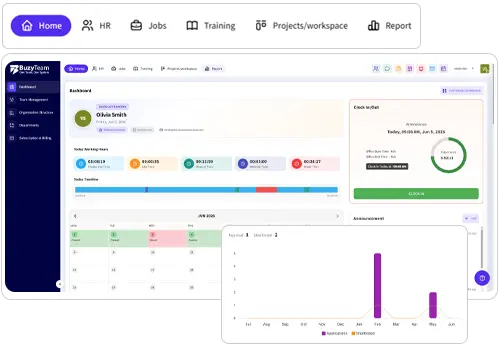

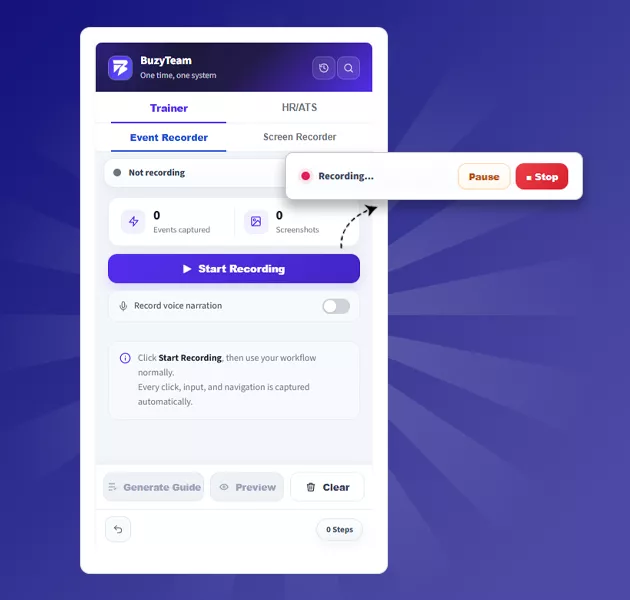
The Event Recorder feature in BuzyTeam Chrome extension captures every click, action and navigation you perform in your browser in real time. It then converts these actions into well-structured, step-by-step onboarding guides, software training and SOPs with screenshots, making it easier for employees to follow processes- all in one place.

BuzyTeam  Chrome Extension
Record workflow guides, step-by-step documentation, and create employee training on the go using BuzyTeam’s Chrome Extension – all from your browser. It also streamlines the hiring process by importing applicants from various job portals into BuzyTeam HR ATS.
Train Smarter with BuzyTeam
Make Employee Training Streamlined, Structured & Scalable!
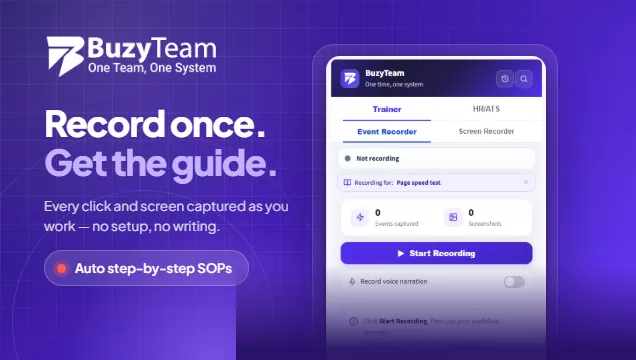
No more hassle for trainers! They can train employees by creating workflow guides, videos, PDFs and text lessons in a few clicks with BuzyTeam’s Chrome extension. Install the extension on Chrome, click Start Recording, and use your workflow normally. Every click, input and navigation is captured automatically with annotated screenshots and transformed into learning guides and documentation in real time. Record your screen and help employees learn business processes on the go. With this, trainers can create:
- Standard Operating Processes (SOPs)
- How-to Guides
- Product Training Videos
- Workflow Documentation
Workflow Documentation
Work Smarter. Train Better. Hire Faster
Create workflow documentation, training guides, and streamline recruitment in just a few clicks directly from your browser.
-
01Steps: 01Install the Chrome Extension
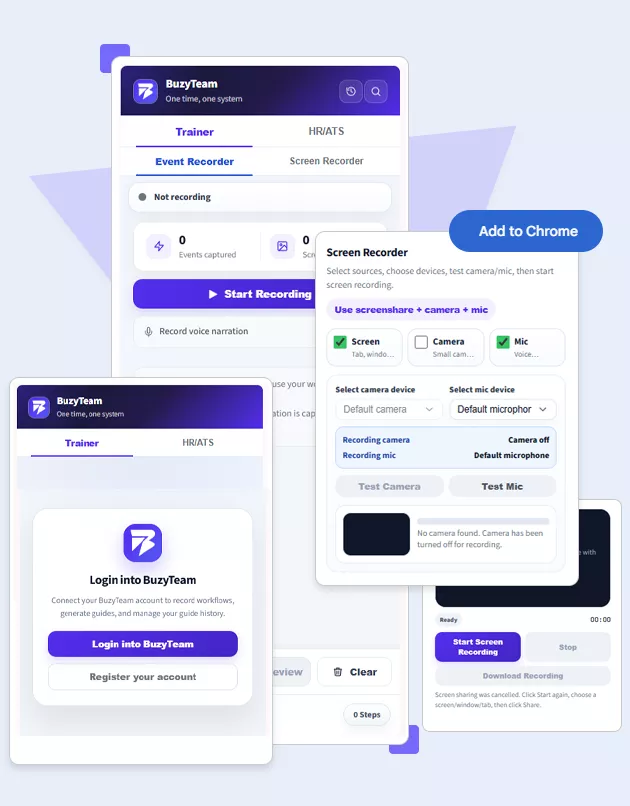
Installing the BuzyTeam Chrome extension is easy. Add the extension to your browser and login to your BuzyTeam account in seconds.
-
02Steps: 02Record your Workflow
Trainer’s Event Recorder lets you capture workflows, clicks, and navigation automatically, and turn real-time processes into clear and step-by-step training guides.
-
03Steps: 03Create Training Guides
Turn recorded workflows into well-structured, visual instructions with annotated screenshots to help employees understand the SOPs, role-based guides and documentation faster.
-
04Steps: 04Record Employee Training Videos
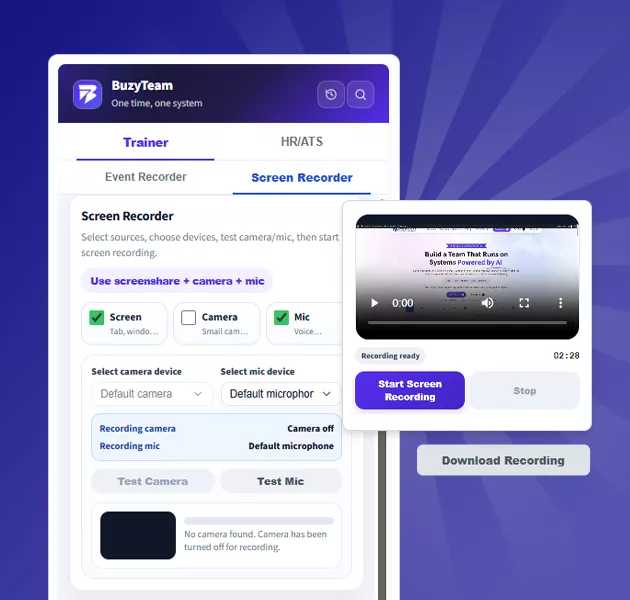
Use your camera and microphone to record screen demonstrations to explain role-based tasks in real-time. Upload recordings directly into BuzyTeam Training for interactive learning experiences.
-
05Steps: 05Import Applicants into HR ATS
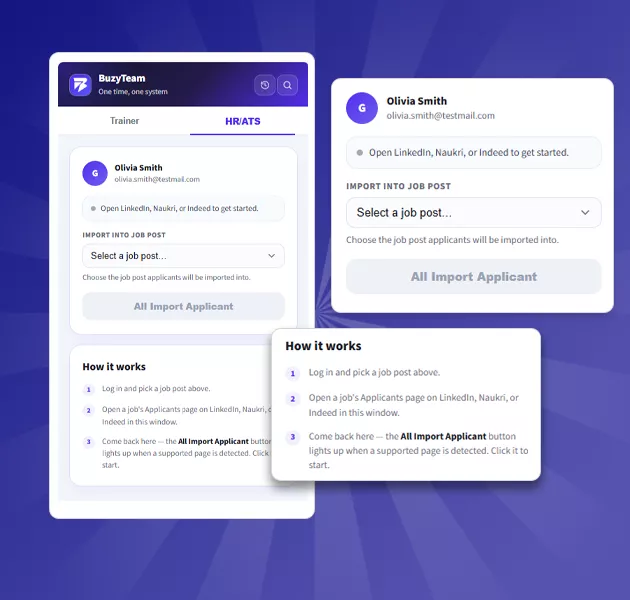
Log in to the BuzyTeam Chrome extension, select a job, open its Applicants page on LinkedIn, Naukri, or Indeed, and import all applicants into HR/ATS in just a few clicks.
Key Features
Simplify and Streamline your Workflow with BuzyTeam
BuzyTeam’s Chrome extension reduces manual work by streamlining employee training, workflow documentation, screen recording and the recruitment process.
-
 Event Recorder for Smart Trainers
 -
Screen Recording for Training Videos
Skip the hassle of creating separate videos for employee training and screen demonstration. The Screen Recorder captures on-screen activity in real time to create visual training videos for employees. Using the Chrome extension, trainers can add voice explanations to their training content and upload videos directly to BuzyTeam Training in one go.
-
HR ATS for Smart Hiring
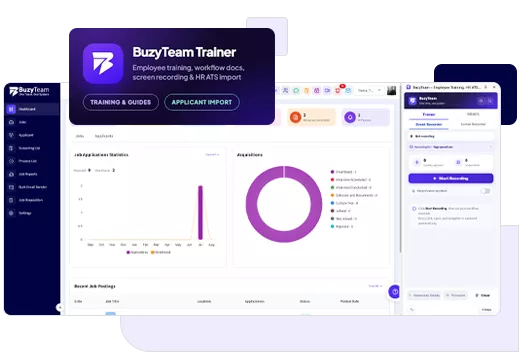
BuzyTeam’s HR/ATS Chrome Extension lets HR professionals and recruiters import applicants from LinkedIn, Indeed and Naukri portals into the right job post. No more stress of selecting the right applicants manually. The extension will automatically fetch the data and import it directly to Buzy Team HR ATS, keeping each applicant's details organised.
Know us Better
Frequently Asked Questions
The BuzyTeam Chrome Extension is a browser–based tool, helping businesses, trainers, HR professionals and recruiters record workflows, employee training videos, screen demonstrations and import applicants directly from job portals into BuzyTeam HR ATS – all from one place.
The Trainer Event Recorder of the BuzyTeam Chrome extension simply captures workflows you perform on your browser. It records every click, input and navigation and automatically converts recorded activity into a step-by-step training guide, streamlining the training process.
Yes, it captures your on-screen workflow and creates well-structured guides with screenshots, making it easier to document SOPs, software training guides, and role-based processes.
Yes. Make sure you enable Record Voice Narration while recording your workflow to include clear verbal instructions for training documentation.
You can enable Screen + Camera + Mic according to your requirements and start recording your screen while working. It will record your screen while capturing your camera and microphone in real time. It can help you create training videos and role-based demonstrations on the go. Once downloaded, the recorded video will upload directly to your BuzyTeam Training.
No, Camera recording is optional. You can record only your screen for visual demonstration. You can tick on Camera if you need it, or else leave it.
The HR ATS feature allows HR professionals and recruiters to import applicants from different job portals into relevant job posts in BuzyTeam, reducing manual data entry and time-consuming screening of each resume.
The BuzyTeam Chrome extension lets you fetch applicants from LinkedIn, Indeed and Naukri job portals, saving you time and energy. You don’t have to switch pages. It will do it for you in a few minutes.
Smart businesses, trainers and recruiters can choose the extension to create employee training faster, record workflow documentation in real time, generate step-by-step guides, document business processes with automatic screenshots, record professional screen demonstrations with mic and camera, streamline employee onboarding, share knowledge across teams, create SPOs, PDFs and import applicants into BuzyTeam HR ATS.
The extension is ideal for HR teams, recruiters, operations teams, trainers, managers, IT teams, sales teams, finance teams, customer support teams, growing businesses, employee onboarding teams, etc.
Work Smarter Everyday
Capture Workflows. Build Training. Minimise Hiring Hassle
Turn everyday workflows into structured training guides and simplify candidate sourcing with BuzyTeam’s Chrome Extension.
- Free 14-day trial
- No credit card required
- Prompt Support
- Cancel anytime

Experience the Power of Productivity
Make your team 40% more efficient. Set up your account in just 2 minutes!
Top 3 reasons to trust BuzyTeam
- AI-powered Insights
- Stealth of Visible Tracking
- Automated Timesheet
Start Your 14-Day Free Trial
Experience the Power of Productivity
Make your team 40% more efficient. Set up your account in just 2 minutes!