

Task Management Tracking
Create, Assign, and Track Tasks Seamlessly!
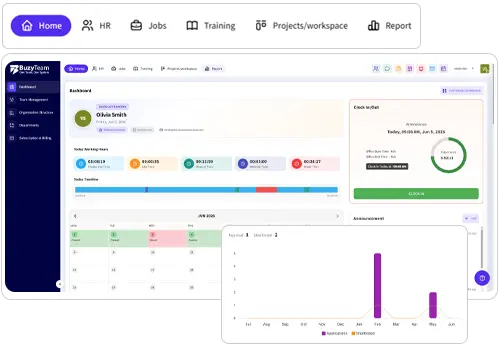
With BuzyTeam’s comprehensive and intuitive task management system, businesses can optimise their use of human capital. It helps fix errors and deliver desirable results on time. Planning and tracking projects through the dashboard saves time and unnecessary costs.
Make Task Management Effortless
Visualise data in an organised manner to speed up the process of planning, allocation, execution, and completion with one connected Task Management Software.
-
Centralised Task Management
With scattered information, there is a constant need to check in on employees. It leads to micromanagement and dissatisfaction. BuzyTeam helps centralise all task related information for real time updates.
-
Complete Control
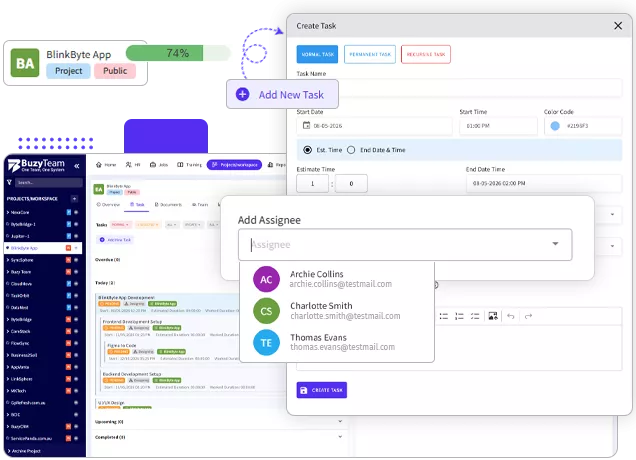
Managers can access all information related to tasks assigned to teams and their respective members. They can easily add new tasks through the dashboard and assign responsibilities by clicking a few buttons.
-
Customisable Dashboard
Users can easily customise the flexible task tracking and management software to create tasks, add members to the list of users, and assign work to them. It can accommodate an unlimited number of tasks and users, allowing the business to scale effectively.
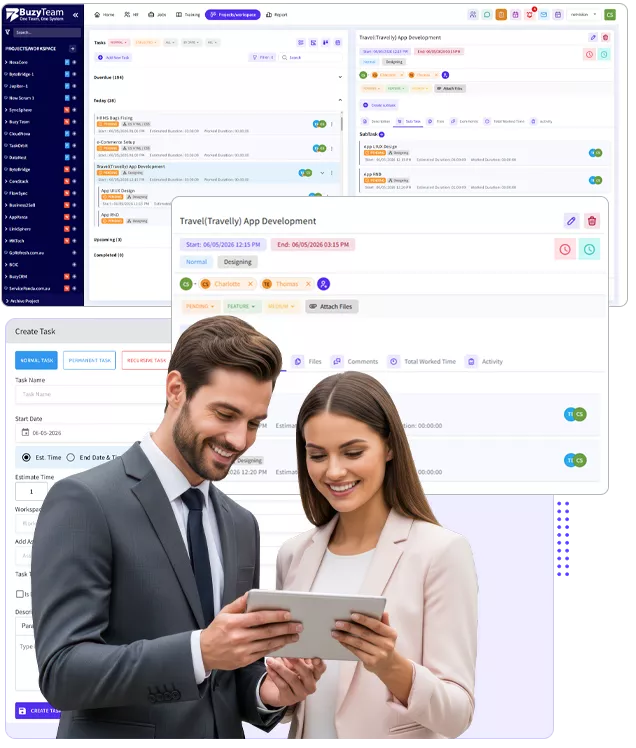
Task Management Is No Longer A Tedious Chore
Assigning tasks and subtasks to the entire team during daily meetings can be time consuming. BuzyTeam eliminates this inefficiency by streamlining task management.
-
Accelerate Submissions
BuzyTeam’s Task Management Software allows managers to allocate tasks to their team members easily and track project progress for streamlined workflows. It reduces unnecessary delays, productivity gaps and inefficiency. Prioritise tasks based on their importance and boost productivity.
-
Well Structured Work Plans
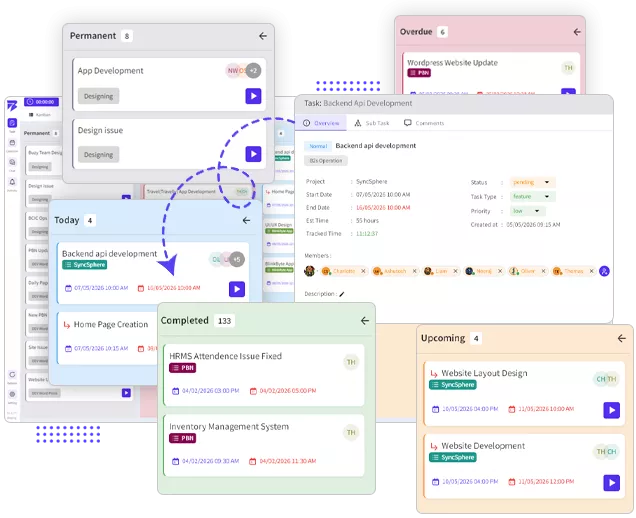
Businesses can easily organise tasks into current, upcoming, completed and overdue categories to bring transparency and clarity. These tasks can be assigned to employees from different departments, with due dates to improve operational efficiency.
-
Work Management & Delegation
BuzyTeam’s Task Management makes it easy to break complex tasks into subtasks via the Tasks tab on the menu bar. Managers can categorise them into recurring and normal tasks with scheduled deadlines.
Core Features of BuzyTeam’s Task Management Software
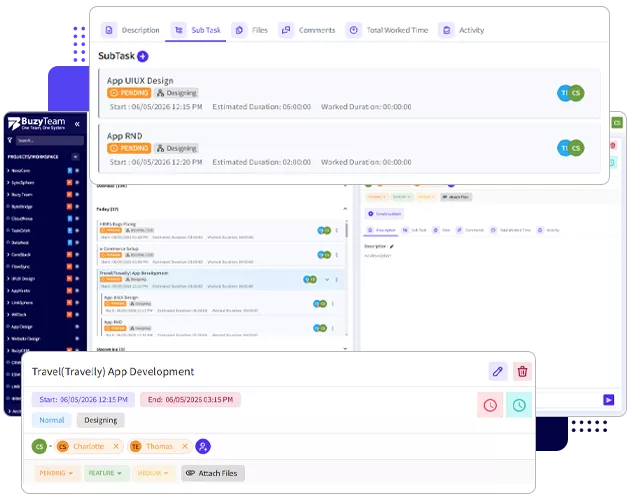
Tasks and Subtasks Management
Simplify tasks into structured workflows and gain clarity for efficient management.
- Create tasks with priorities, project deadlines and ownerships
- Break complex tasks into subtasks using Workflow Management Software
- Gain full visibility into execution vs efforts
- Assign ownership to individuals or teams
- Automate custom workflows tracking
Kanban & Smart Workflows
With an integrated Workflow Management Software, managers can transform static task lists into dynamic Kanban boards and intelligent workflows to detect or prevent bottlenecks.
- Drag and drop task progression
- Custom stages connected with your business process
- Switch between team, project, and role based views
- Receive real time workflow updates
- Access workflow efficiency insights
Time Tracking
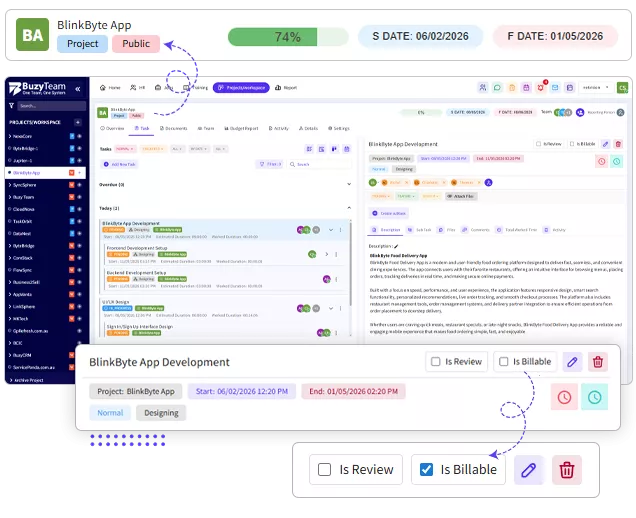
Use the BuzyTeam’s employee time tracking software to measure efforts vs actual output to optimise their performance and overall project progress.
- Track manual and automated time logging
- Billable vs non billable tracking
- Track time on specific tasks or projects in real time
- Understand team utilisation patterns
File Sharing and Knowledge Management
Centralise all task related files in one place to avoid miscommunication and delays while ensuring seamless task tracking.
- Attach files within tasks for easy access
- Manage and Maintain version history
- Unified access to all documents related to specific projects
- Protect data with controlled sharing
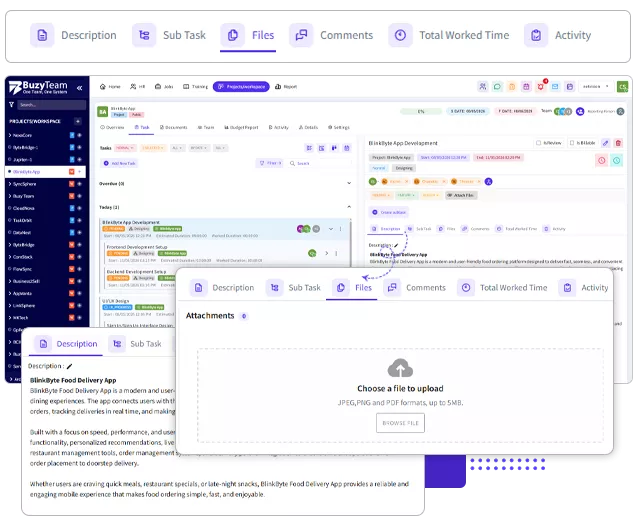
Achieve Unexpected Growth with Efficient Planning and Management
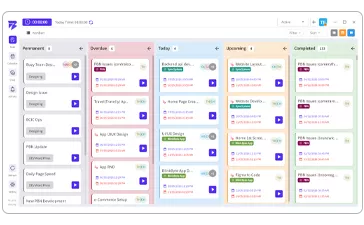
Visualise all tasks within a single project using dynamic Kanban boards for greater clarity. A centralised workflow management software lets you access a visual representation of current, completed, overdue, and upcoming tasks for better management.
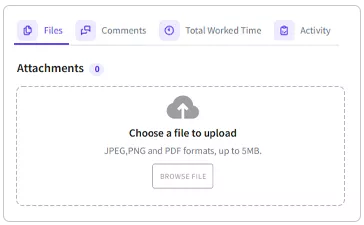
Team members can share task and project-related documents. This fosters seamless collaboration with remote teams while ensuring data security.
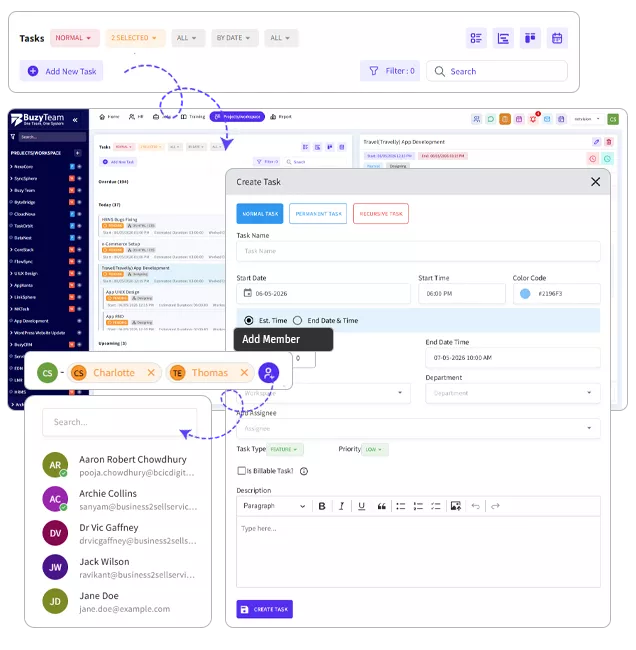
Authorised users can look into the tasks assigned to individuals and their status in real time. Managers can add or remove team members from projects and track their contributions.
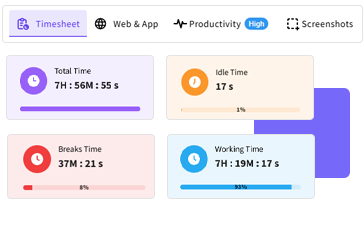
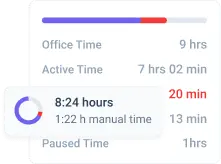
Track your team member’s active vs. idle hours in real time. The employee time tracking software helps managers to spot discrepancies and optimise overall performance with better clarity.
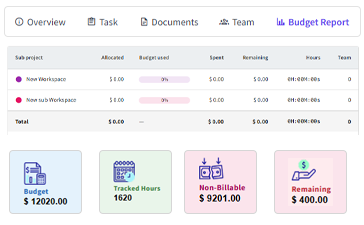
Easy to edit project titles and set budgets and timelines to prevent overruns. It can be shared with the entire team or restricted to authorised users only.
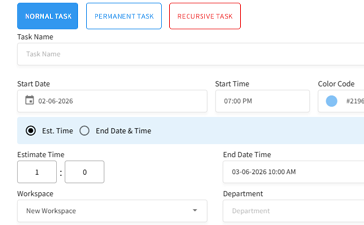
BuzyTeam’s Task Management System lets you categorise tasks as normal, permanent, and recursive to boost clarity. Recurring tasks can be set according to their required frequency and time intervals, and will appear automatically in the task list of members.